# How do I adjust depth of cut on 3d carve vectric?
**URL:** https://forum.onefinitycnc.com/t/how-do-i-adjust-depth-of-cut-on-3d-carve-vectric/36124
**Category:** Vectric
**Created:** [November 6, 2025, 12:32am UTC](https://forum.onefinitycnc.com/t/how-do-i-adjust-depth-of-cut-on-3d-carve-vectric/36124 "2025-11-06T00:32:44Z")
**Posts on this page:** 12
**Page:** 1
### Author:  [@Woody515](https://forum.onefinitycnc.com/u/Woody515)
#### Post date: [November 6, 2025, 12:32am UTC](https://forum.onefinitycnc.com/t/how-do-i-adjust-depth-of-cut-on-3d-carve-vectric/36124/1 "2025-11-06T00:32:44Z")
im new to cnc and got the file from idc woodcraft for the 3d carve of the memorial and i wanted to cut it my problem is i set my material size and thickness and start my cut and it is almost cutting all the way through the material so bad that it stops my machine, guess my question is how do i adjust the depth of cut on a 3d carve?
---
### Author:  [@Calvin](https://forum.onefinitycnc.com/u/Calvin)
#### Post date: [November 6, 2025, 1:59am UTC](https://forum.onefinitycnc.com/t/how-do-i-adjust-depth-of-cut-on-3d-carve-vectric/36124/2 "2025-11-06T01:59:36Z")
What program are you using to generate your gcode? I’m mostly familiar with Vectric in which case when you are setting up your 3d roughing the first time or during the material setup you set the models position in the material. To put it simply, moving the slider up and down moves the model up and down inside your material.

---
### Author:  [@Woody515](https://forum.onefinitycnc.com/u/Woody515)
#### Post date: [November 6, 2025, 2:03am UTC](https://forum.onefinitycnc.com/t/how-do-i-adjust-depth-of-cut-on-3d-carve-vectric/36124/3 "2025-11-06T02:03:55Z")
im using vectric. so i want the model more to the top?
---
### Author:  [@Woody515](https://forum.onefinitycnc.com/u/Woody515)
#### Post date: [November 6, 2025, 2:19am UTC](https://forum.onefinitycnc.com/t/how-do-i-adjust-depth-of-cut-on-3d-carve-vectric/36124/4 "2025-11-06T02:19:51Z")
i want to use one inch thick material. so do i adjust the cut depth in the tool path?
---
### Author:  [@Woody515](https://forum.onefinitycnc.com/u/Woody515)
#### Post date: [November 6, 2025, 2:43am UTC](https://forum.onefinitycnc.com/t/how-do-i-adjust-depth-of-cut-on-3d-carve-vectric/36124/5 "2025-11-06T02:43:20Z")
i cant find that screen
---
### Author:  [@Calvin](https://forum.onefinitycnc.com/u/Calvin)
#### Post date: [November 6, 2025, 2:56am UTC](https://forum.onefinitycnc.com/t/how-do-i-adjust-depth-of-cut-on-3d-carve-vectric/36124/6 "2025-11-06T02:56:40Z")
If you are importing a 3d file like an .stl that screen will first show up when you select 3d roughing (assuming you are roughing then finishing) once you confirm your selections there it will take you to the normal roughing toolpath page. After that initial setup you can get that screen again by clicking on the “set” button on the top of the toolpath panel.
---
### Author:  [@TommyObar](https://forum.onefinitycnc.com/u/TommyObar)
#### Post date: [November 7, 2025, 3:16pm UTC](https://forum.onefinitycnc.com/t/how-do-i-adjust-depth-of-cut-on-3d-carve-vectric/36124/7 "2025-11-07T15:16:35Z")
Scale your model when you import it. You’ll probably want to lock the aspect ratio when scaling X/Y, then unlock it to scale Z based on the thickness of your material.

---
### Author:  [@Woody515](https://forum.onefinitycnc.com/u/Woody515)
#### Post date: [November 7, 2025, 8:50pm UTC](https://forum.onefinitycnc.com/t/how-do-i-adjust-depth-of-cut-on-3d-carve-vectric/36124/8 "2025-11-07T20:50:02Z")
ok thank you tommy i will get that a try.
---
### Author:  [@Woody515](https://forum.onefinitycnc.com/u/Woody515)
#### Post date: [November 7, 2025, 9:05pm UTC](https://forum.onefinitycnc.com/t/how-do-i-adjust-depth-of-cut-on-3d-carve-vectric/36124/9 "2025-11-07T21:05:41Z")
Is there a video showing the process from start to finish?
---
### Author:  [@TommyObar](https://forum.onefinitycnc.com/u/TommyObar)
#### Post date: [November 7, 2025, 9:50pm UTC](https://forum.onefinitycnc.com/t/how-do-i-adjust-depth-of-cut-on-3d-carve-vectric/36124/10 "2025-11-07T21:50:51Z")
There should be several YouTube videos out there. Kyle Eli (Learn Your CNC) should have a few. I’m sure Garrett (IDC Woodcraft) probably has one. Garrett has a live show every Wednesday night (7pm CST), so you should attend if you’re not doing so already. It’s a great forum where people ask questions live. He also has other content creators as guest speakers. Kyle Ely will be a guest (again) soon.
---
### Author:  [@Tpinta813](https://forum.onefinitycnc.com/u/Tpinta813)
#### Post date: [November 7, 2025, 10:00pm UTC](https://forum.onefinitycnc.com/t/how-do-i-adjust-depth-of-cut-on-3d-carve-vectric/36124/11 "2025-11-07T22:00:35Z")
Do yourself a favor and sign up for [Learnyourcnc.com](http://Learnyourcnc.com). It was a life savor for me. It teaches you every aspect of Vectric. Well worth it. Great community. And he has all the videos for basically every type of carving you want to do.
---
### Author:  [@TommyObar](https://forum.onefinitycnc.com/u/TommyObar)
#### Post date: [November 11, 2025, 12:06am UTC](https://forum.onefinitycnc.com/t/how-do-i-adjust-depth-of-cut-on-3d-carve-vectric/36124/12 "2025-11-11T00:06:08Z")
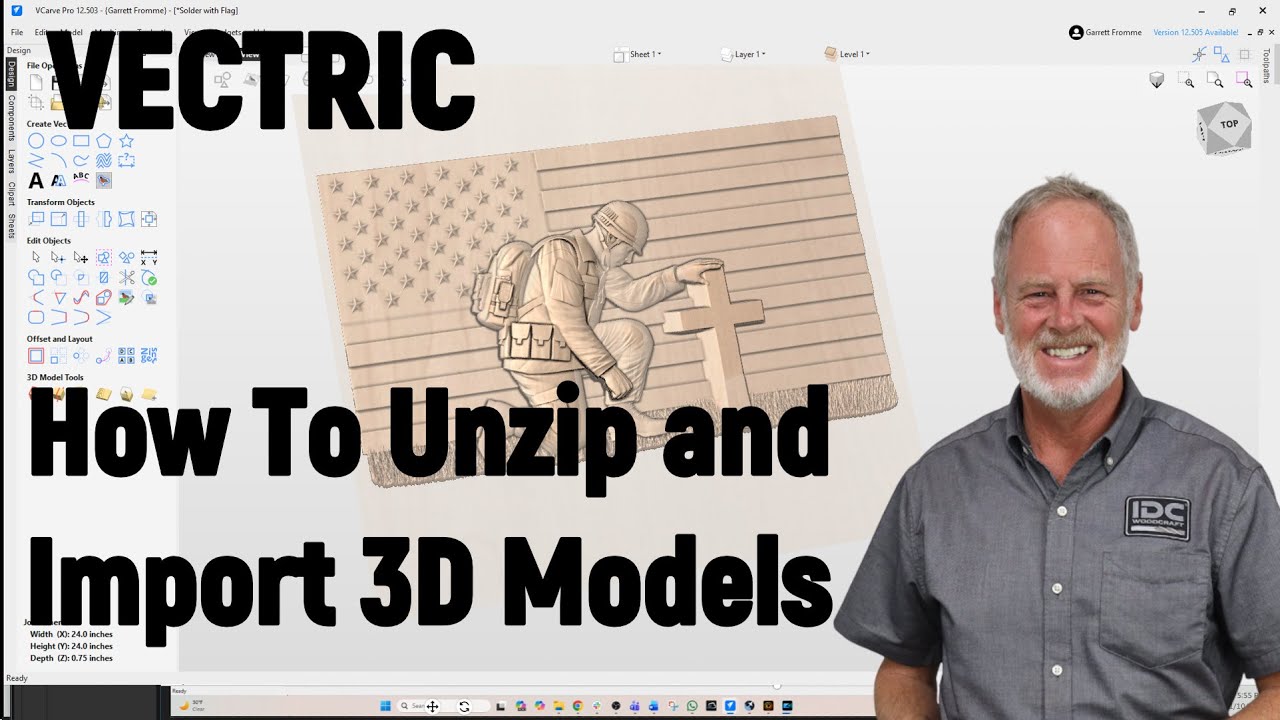
Garrett just posted a video on this.
[ ](https://www.youtube.com/watch?v=lFbBpknrYFE)