Is it possible to save a few X and Y locations in the controller for repeat jobs? I saw that there were discussions back in 2020 but didn’t see any final solution from Onefinity. I can save up to 4 locations in Shopsabre. As others indicated, it is really handy for repeat projects.
Will setting these locations using the available G54-G59 work coordinates work for your application?
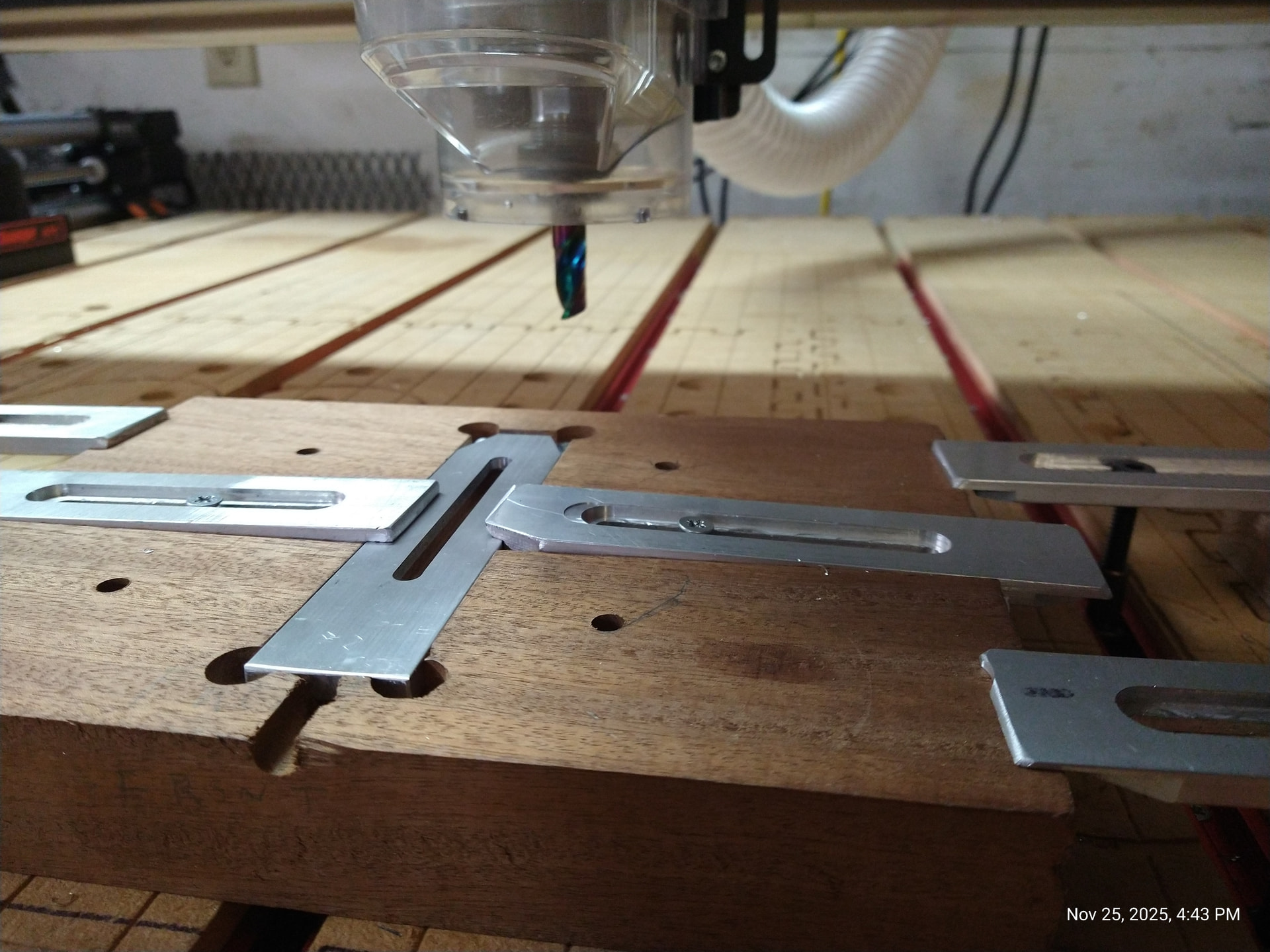
I keep a notebook on where in absolute terms my work origin x&y zero are for repeat jobs and i have holes on my spoil board with locating pins for certain nesting fixtures so when I do those jobs, they are absolutely in the correct position to quickly get set up and running. as seen here. you can see the four quarter inch holes they have pins that locate this fixture so everything is placed correctly without a lot of resetting. absolute accuracy guaranteed.
Can you describe how to set them up and use them on the onefinity?
Which controller are you using?
I will be using a Redline controller. I just ordered the machine and hopefully will receive it in the mid first quarter of 2026.
I make small parts that have a pocket for some item to be stored in them. Nothing fancy. But my jig is designed to put 8 parts and machine pockets of 15mm X 45mm square with 15mm depth in each part. I have made a custom hold down that I can quickly load and unload parts. I repeat the process everyday until i fulfill the quantities ordered. Normally the orders are 1500 to 3000 pieces at the time. Parts are faster to cut on table saw and just be pocketed on CNC.
Your use case is a great fit for using “multiple work offsets” in your programming. This is the G54, G55, G56, … G59 you hear about.
Normally, when you set an X=0 and Y=0 position, you are setting in the default G54 position. This is known as the “G54 work offset”. Most machines can set multiple work offsets to locate different positions all over the spoilboard. I’m not sure if this functionality is available yet on the Redline controller.
On the programming side, when you save the Gcode file you tell your cam software to run the part based on a specific work offset.
The use of multiple work offsets is designed for production facilities. An average hobby CNC user is probably never going to need to use it. It can be super powerful, but also introduces added complexity of programming.
Alternatively, you can also program your part to finish a part, then automatically jog the machine over to the original position to the next part stay there. You then just tap the X0 and Y0 buttons to reset your origin location, and run the next part.
Are you thinking your going to set multipel XY positions that correspond to the 8 units in your jig? Or are you looking to load multiple jigs on the table at once?
Hello Mike,
Thank you for the very detailed and thorough explanation. I have no problem adding work offset. I am an old dog but will force myself to learn a new trick.
The Redline and the whole Onefinity will be new to me but the concept is all the same.
It is just one X and Y position since the jig gets screwed down to the spoilboard and the holddown is built on top of the jig. I will need to rethink my jig so I don’t have to worry about Z height safe for the hold down system.
Once again Thank you for your kindness and guidance.
Hello TMToronto
Thank you for your reply. That seems to be the solution. I will try it when I get my machine.
Best regards
Thank you Robert, I got a bunch of great ideas here. love the idea of pins for repeat job
Best Regards