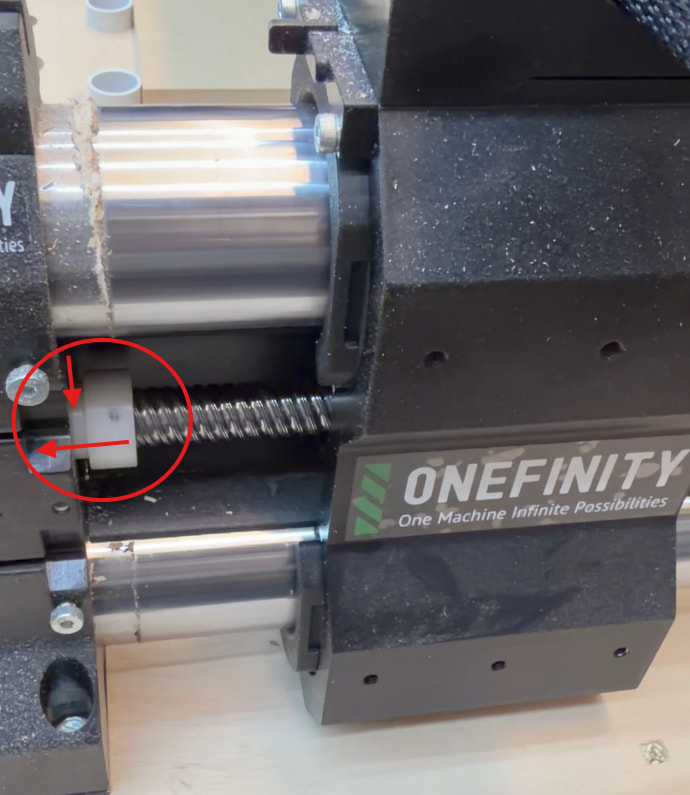
On the Onefinity Gen 2 Elite Series machines a white wiper is used to keep dust from entering the foot and can begin to work its way out of the foot.
When this happens, it can cause a couple of symptoms:
- The rail may stop prematurely before the homing trigger reaches the sensor
- Homing may fail or throw a closed-loop motor error
- You may hear a clicking or thumping noise during movement
Below is an example of a wiper that has started to back out:
What to check
The thin portion of the white wiper should be fully seated inside the foot, with the wider portion sitting nearly flush against the black foot.
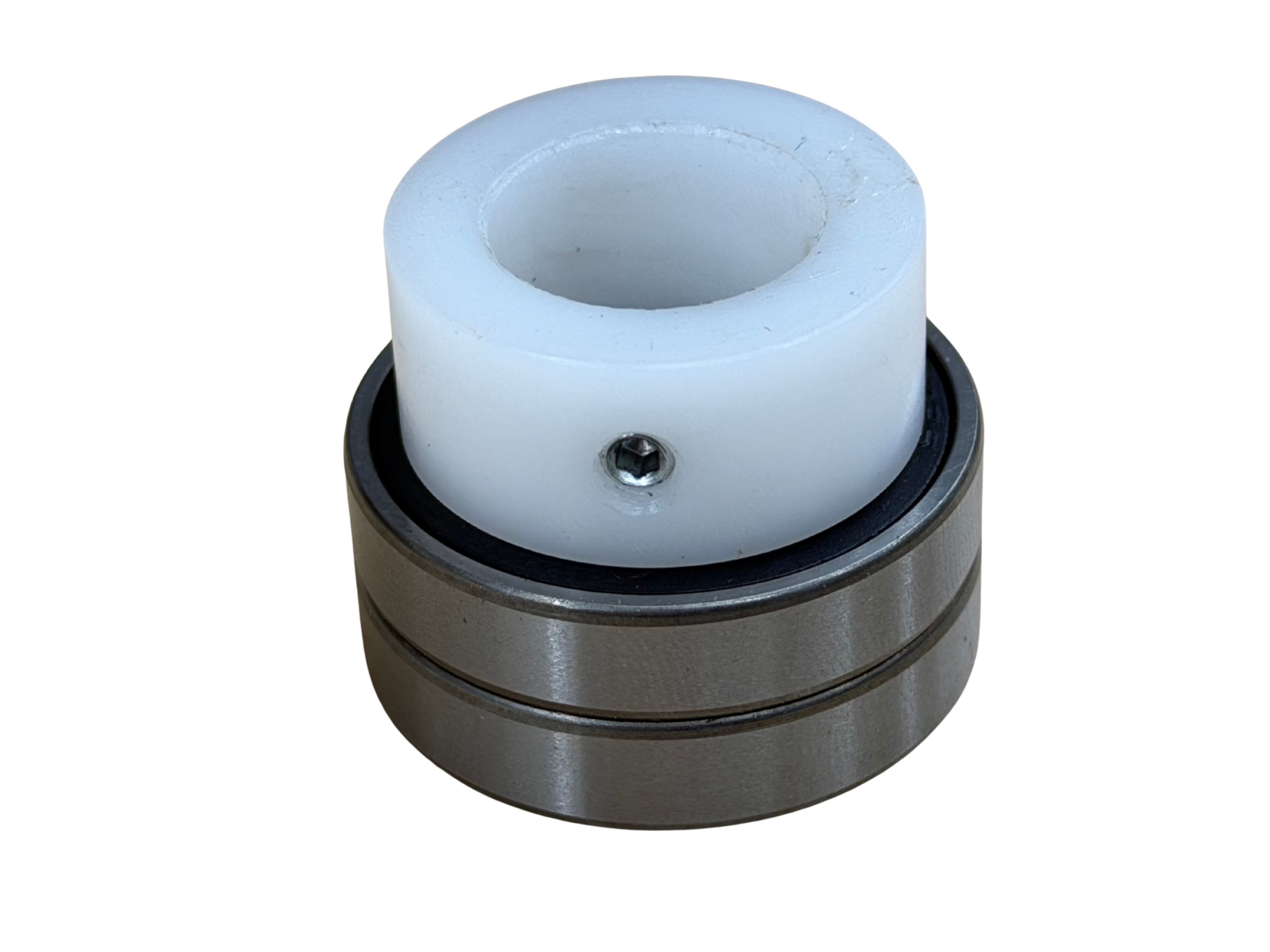
Inside the foot are two bearings, and the wiper should be fully seated within them. These bearings help hold it in place, while the grub screw provides additional security.
Below is an example of a wiper properly seated inside the two bearings:
How to fix it
If the wiper has moved out of position:
- Loosen the grub screw slightly
- Twist and push the wiper back into place so it is fully seated
- Re-tighten the grub screw
Important notes:
- Do not overtighten — the wiper is nylon and can strip
- The grub screw should sit between the ridges of the ball screw threads, not on top of them
Why this matters
If the wiper isn’t properly seated:
- It can interfere with normal rail travel
- It may prevent proper homing
- It can create unnecessary noise or vibration
Once properly seated, the bearings and grub screw together will keep it securely in place.