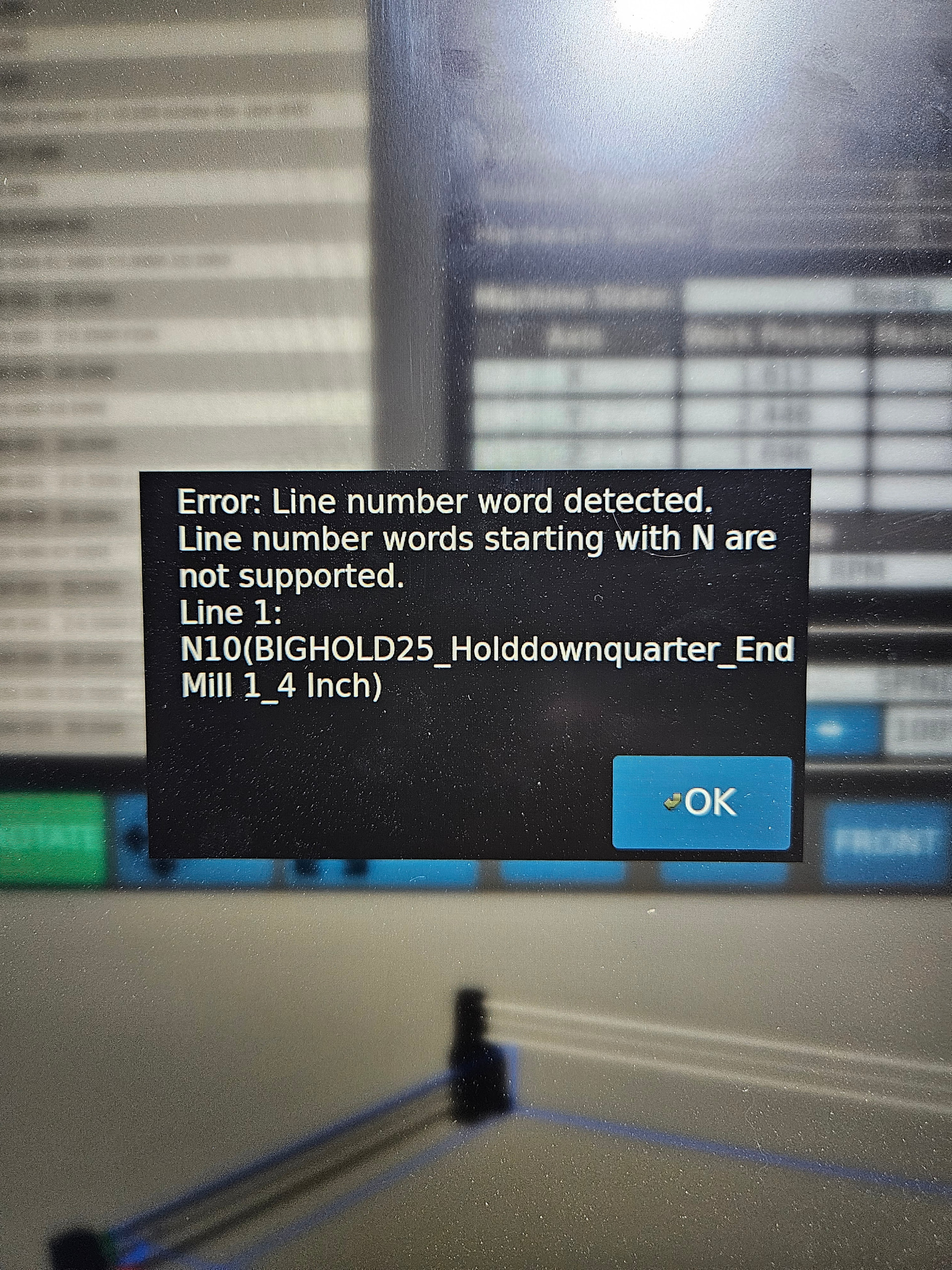
You are using the wrong post processor. You don’t have a MASSO so you can’t use the MASSO post processor. You need to use the Redline post processor found on the forum.
Ok so the file you have, do you have the original software file it was created on?
Eg Vcare files have .crv extension
If you do open the original file then when you save the toolpath scroll through the available post processor list and look for the redline post processor then save it
If you don’t have the original file then open the file you have in Notepad+ and then save it with the redline file extension and see if that will work
Is that a a file you created or one that came with the machine?
Sometimes we forget the reach of the machine and in order to reach the distance we require means rotating or offsetting the piece
I’m not familar with the new Redline controller, but I did notice there is an emulator that shows you how the spindle travels. Maybe you can run the simulation to see where it is running outside the limits and you can adjust for that.
The red means that you’re trying to cut outside the cutting area and it won’t let you cause it can’t physically reach make her spoiled board planning file smaller so it will cut inside the area. It’ll turn green when it can run.