I have searched on this forum for anything related to EasyCreate and I did not find any matches.
So here goes, if this needs to move to another category just let me know.
So I have been playing with EasyCreate for a few months now and I am getting better but still need lots practice. I am trying to get better with creating a model from a photograph. I have tried twice but not real happy with the outcome.
I am using Vcarve Pro the latest version, and a 0nefinity CNC (the original BB controller on a woodworker 32x32)
1. Is there a website or youtube video that offers instruction. I have watched the vectric videos on you tube but they seemed to be mostly introduction to the new EasyCreate website. Yes it does go thru all the options but only briefly.
2. Is there a specific type of photo that works to create the best model, like no background, or a photo without much detail? Use the “enhance” feature or not on the photo?
3. Is there a specific type of wood that works well when trying to carve a model from a photo?
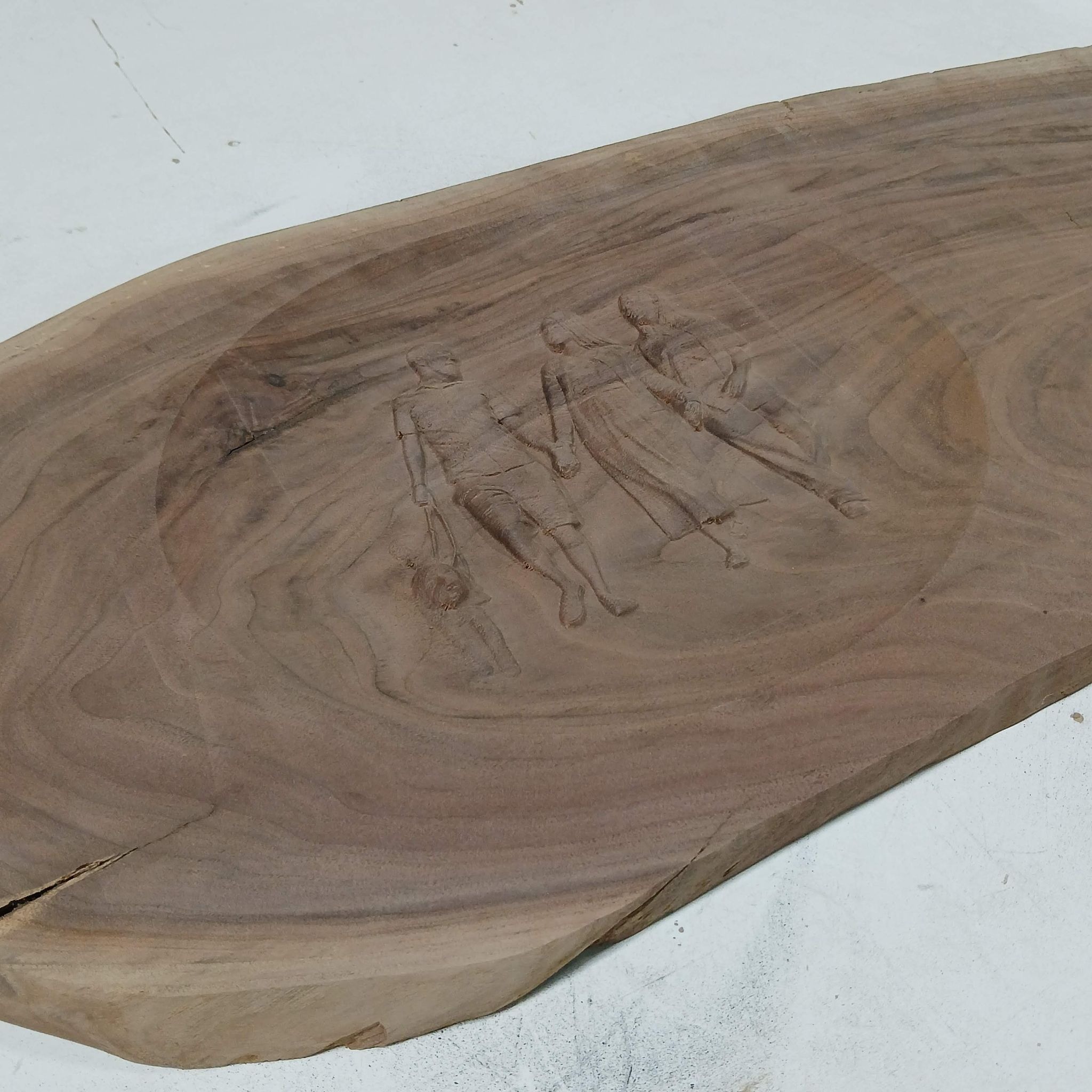
I used walnut with this project and it seems to “hide” the model.
4. Is there an option to tell easycreate what size model I want from a photo? The models I created ended up almost twice as large as I needed. (did I lose more detail when I reduced the size of the model?
Some of the things that I have learned, unless I am completely on the wrong track.
It seem that easycreate will automatically add a base to the model, and when I try the “replace below” option it removes some of the model. A base on the model isn’t bad unless you want to combine this model with a “dish”, because then it leaves lines in the dish.
I was able to remove most of these by using the option on easycreate to scale the heights along the x and y axis and adjusting only the very edge of the model. But I am not sure if this is reducing some of the detail.
Here is the photo I used and the finished carve. I did this for a friend and they thought the carve came out really good. (I can see where it could have been a lot better)
Here is the picture I used.

I used windows photo editor to remove the background.
I have another project in mind (for my wife) but want to make sure it is as good as EasyCreate can make it.
So I am hoping that I can at least start a conversation on this forum about EasyCreate.
I know this was a long post and thanks for reading
Mike
 ).
).